The front desk protects the calendar
The company's public number goes to the switchboard. Whoever answers was trained to filter out salespeople. Your SDR spends their best pitch on someone who can't buy.
Mobile numbers of company directors, managers and partners, checked with a real-time HLR lookup directly with the carrier. Every number comes with line status and contact ranking. Your team dials knowing what to expect.
 Unique
A good decision-maker phone has two qualities: it belongs to the right person and it's active today. A regular list of company phones guarantees neither.
The company's public number goes to the switchboard. Whoever answers was trained to filter out salespeople. Your SDR spends their best pitch on someone who can't buy.
People change SIM cards, carriers and jobs. A canceled line stays alive in the spreadsheet for months. Every “number doesn't exist” is one less minute in your team's day.
If nobody knows which lines work, the team calls all of them in the same order. The dead number takes the slot of a director who would have answered.
HLR stands for Home Location Register. In mobile networks, it's the central register where the carrier keeps the status of each number: whether it exists, whether it's active and which network it belongs to.
An HLR lookup asks that question directly to the carrier, in real time. The decision-maker's phone doesn't ring and no message is sent. It's a technical check, not a call.
On Unique, you turn on Phone Validation via HLR in the database preferences. The carrier's answer becomes two pieces of information the team uses every day: line status and contact ranking.
Two labels, two questions. Status answers whether you can call. Ranking answers where to start.
The result of the carrier lookup.
| Status | What it means | What to do |
|---|---|---|
| Active — receives calls | The line is active and accepts voice calls. | It goes into the dialer queue. Start with the highest rankings. |
| Unavailable for calls, active on WhatsApp | The voice call doesn't go through, but the number has active WhatsApp. | Reach out via WhatsApp, with a short message and the reason for contact. Remove it from the dialer. |
| Inactive — doesn't receive calls | The line doesn't receive calls. | Leave it out of the mailing list and look for another number for the same decision-maker. |
| Unavailable for calls and no WhatsApp | Doesn't accept voice calls and has no WhatsApp. | Drop the phone for this contact. Use the decision-maker's email and LinkedIn. |
In the company profile, each number shows its status in a colored bar just below. When it can't be checked, it shows “Line unavailable for carrier verification”.
Each number's score, in five levels.
| Level | How to use it |
|---|---|
| Very High | First hour of the day. These are the strongest numbers in the database. |
| High | Main block of the calling cadence. |
| Medium | After the high ones. Confirm at the start of the conversation that you're talking to the right person. |
| Low | When there's no better option for that decision-maker. Combine with email. |
| Inactive | Out of dialing. |
Choose the level of the conversation. Unique organizes the people at each company by hierarchy level, from C-level to the operational team.
Finance director, purchasing manager, IT coordinator. Filter by role and area.
Search for companies by the qualification or name of those on the partner list.
Call only companies of the size you serve. The payroll range shows the account's real size.
State, city, mesoregion. For field teams, the region defines the week's schedule.
Remove from the new list anyone you've already exported. The team doesn't call the same person twice.
A good phone sitting in a spreadsheet doesn't generate meetings. In Export Leads, the database preferences decide what comes out and where it goes.
Prioritizes the database and builds the calling cadence.
The database goes to your account, with the numbers already filtered.
The decision-maker enters the pipeline with a phone that answers.
Sales CRM fed without a spreadsheet in between.
Relationship management with Unique data.
Integration via our own API, for your dialer or system.
It's the number of the person with purchasing power inside the company: partners, C-level, directors and managers. On Unique, you reach it by filtering by title, department and hierarchy level, instead of calling the switchboard and asking to be transferred.
It's a query to the mobile carrier's central register, the Home Location Register. The answer shows the line's status in real time, without the phone ringing and without sending a message. On Unique, Phone Validation via HLR is done directly with the carrier.
Line status says whether the number receives calls, only works on WhatsApp or is out of use. Contact ranking is a five-level score, from Very High to Inactive, that helps decide who to call first. Both can be used as filters in the export.
Yes. With Phone Validation via HLR turned on in the database preferences, you check which line statuses and ranking levels go into Export Leads. Whatever isn't checked stays out of the mailing list.
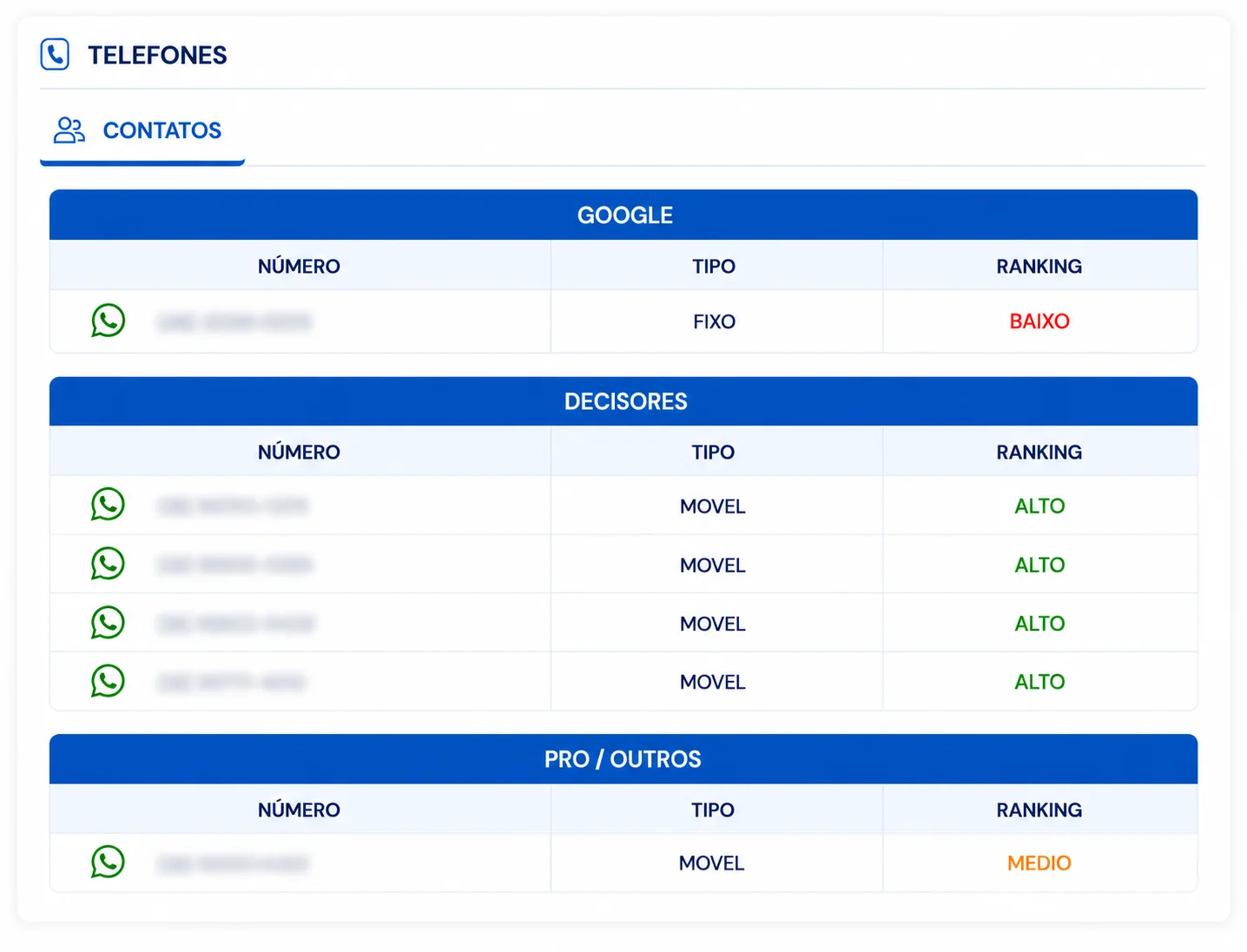
Both types can appear, and each number shows whether it's landline or mobile. Sources include Corp Phone / Decision-makers, with corporate and partner phones, and Google Phone, both on the PRO plan.
Unique's database is B2B: company data and corporate contacts of the people who work there. Processing is aligned with the LGPD. The details are in our LGPD policy.
Yes. There's a native integration with HubSpot, Pipedrive, PipeRun and Allture, plus Webhook / API for your own systems. If you prefer, download the database or use Send to Claude to prioritize the leads.
Book a demo. Tell us who you sell to and see how to reach the phone of the person who decides, with the line checked with the carrier.