
Explore the market and reach the person who signs the contract.
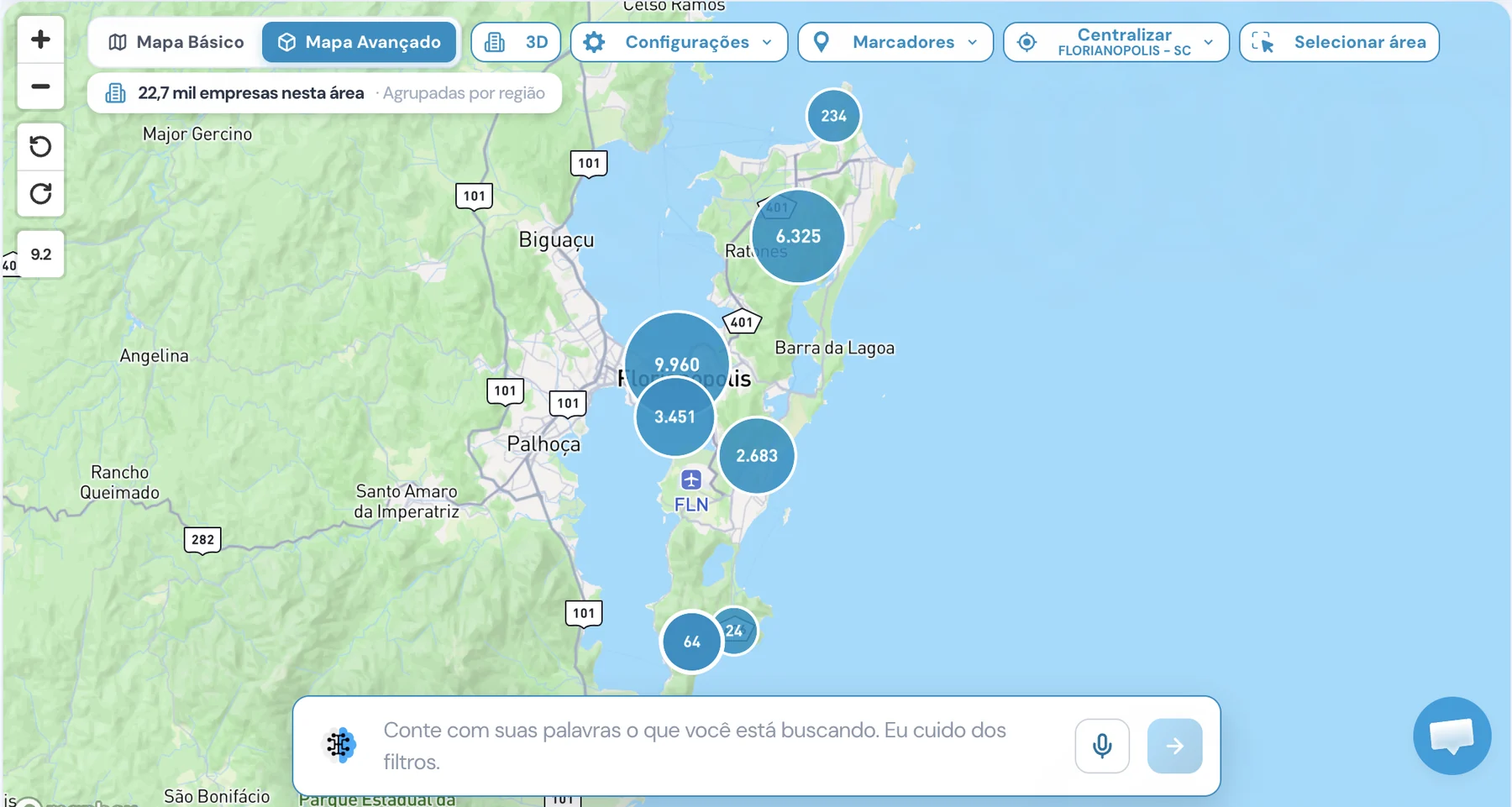
Ask in plain language to Unique AI or build the filter your way. Combine employee and payroll data, see the listing and analyze the market before exporting.
Type what you're looking for. The AI builds the filters.
Describe the companies in plain language, by text or voice. Unique AI turns the request into real filters, which you review and adjust before exporting.
- “Active construction companies in downtown Florianópolis” becomes registration status, activity, city and neighborhood
- Speak into the microphone if you prefer
- The AI Assistant is also in the filter panel and on the 3D map
- Your searches are saved in the history
Hello! Which companies are you looking for today?
- Registration status: Active
- Activity: Construction
- City: Florianópolis - SC
- Neighborhood: Downtown
Unique AI can make mistakes. Check the filters before exporting.
Filters that separate who can buy.
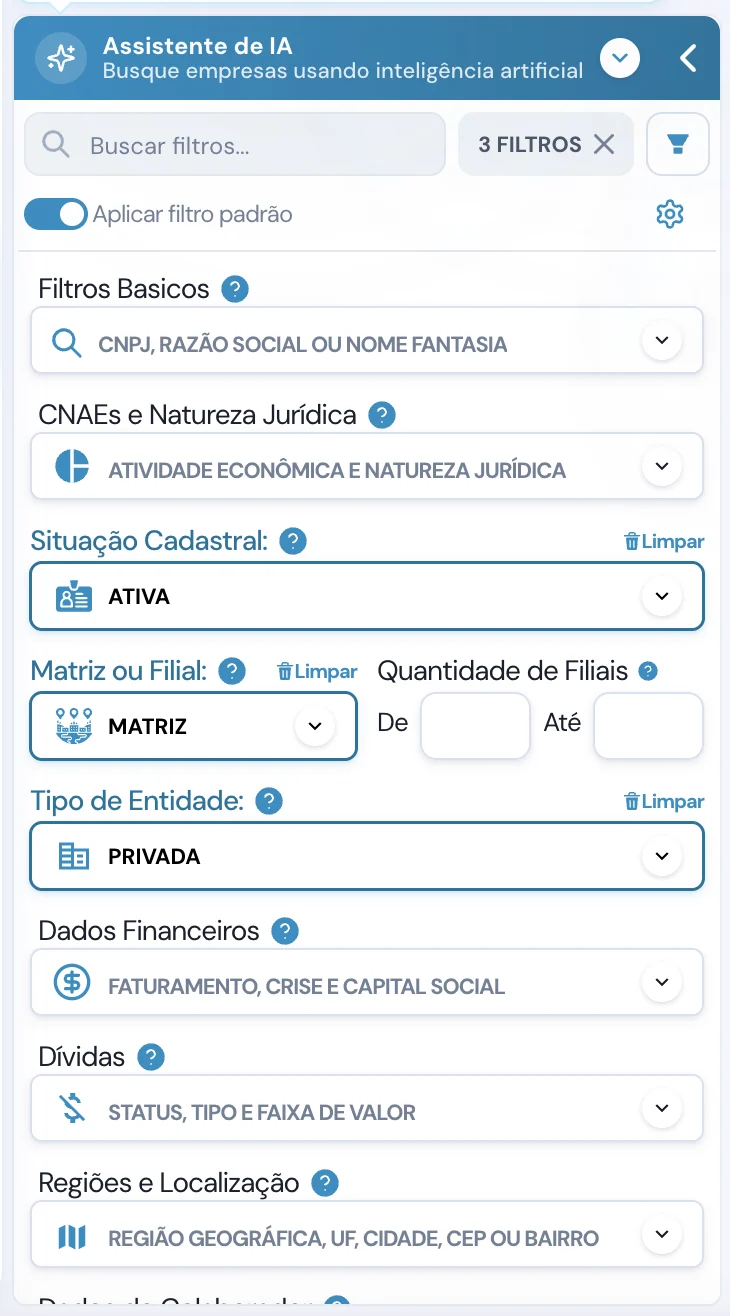
All filters live in a single panel, with search. Combine as many as you like and watch the result change instantly.
- Basic filtersCNPJ, legal name or trade name
- CNAEs and legal natureEconomic activity and legal nature
- Status and structureRegistration status, headquarters or branch, number of branches, entity type
- Financial dataRevenue, crisis and share capital
- DebtsStatus, type and value range
- Regions and locationGeographic region, state, city, ZIP code or neighborhood
- Employee dataEmployee and payroll ranges
- PartnersName, age and qualifications
- Tax regimeSimples and MEI
- Titles and departmentsReach the area that decides
- Foreign tradeImports and exports
- Size, legal and segmentsSize range, legal proceedings, activities and segments
Turn on the default filter and every search starts with your usual criteria. In the example: active, headquarters and private.
Everyone has employee ranges. Payroll, only Unique.
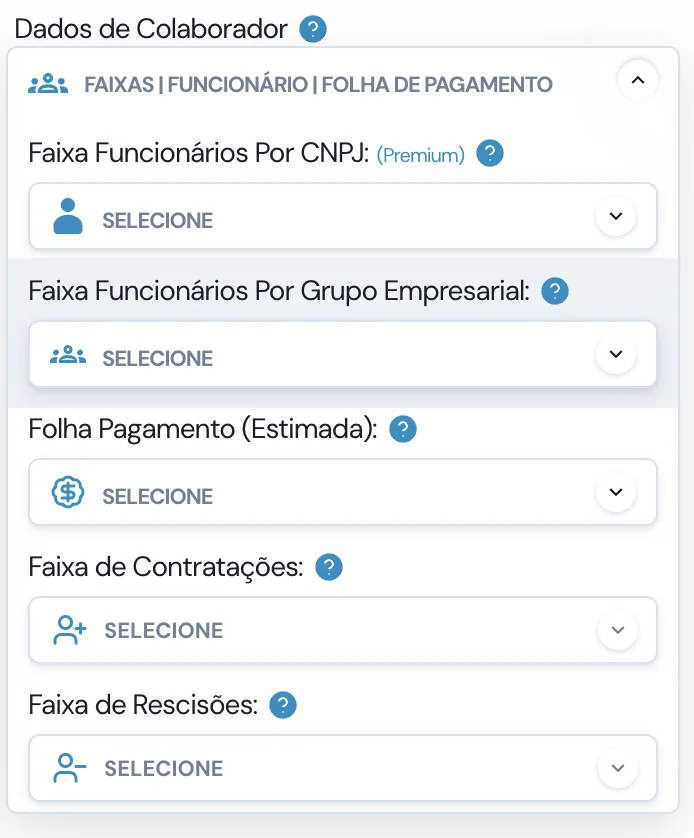
In the Employee Data group you'll find Payroll (Estimated). It's the filter that shows how much the company spends on people and, therefore, how much it can invest in what you sell. Competitors stop at employee and revenue ranges.
-
Payroll (Estimated) EXCLUSIVE 23 value ranges, from up to BRL 10K to over BRL 500 million. In each company's profile, the payroll simulator breaks down INSS, FGTS, vacation and 13th salary.
- UP TO BRL 10K
- FROM BRL 250K TO BRL 500K
- FROM BRL 1 MILLION TO BRL 2.5 MILLION
- OVER BRL 500 MILLION
-
Employee range per CNPJ PREMIUMTeam size at each establishment.
-
Employee range per Business GroupHeadquarters and branches combined, to see the group's real size.
-
Hiring rangeCompanies that are hiring are usually growing.
-
Termination rangeSee who is letting people go and adjust your approach.
Each row already shows whether the call is worth it.
Results appear instantly, with the counters at the top. For each company you see the status, how many emails and phones it has, revenue, address and employee range.
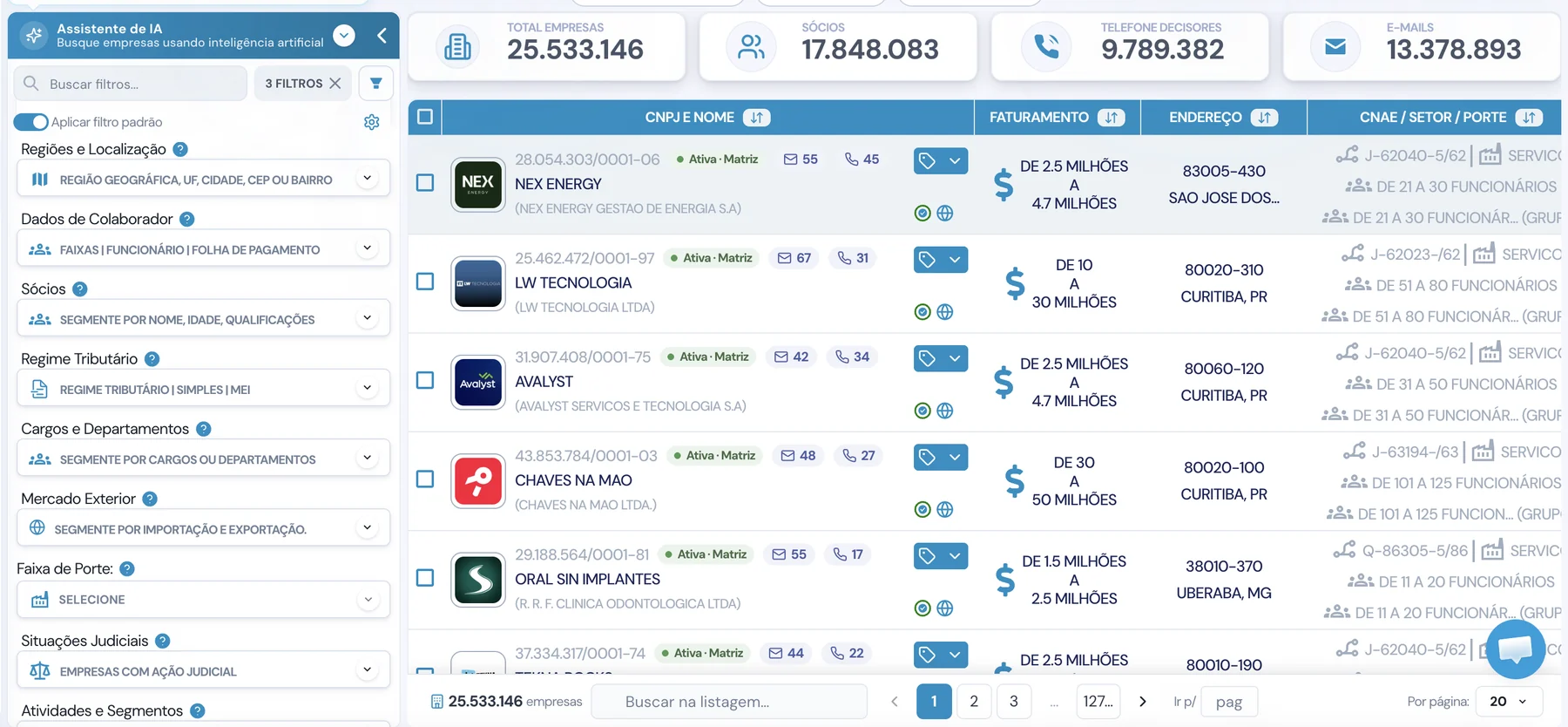
- CNPJ and nameRegistration status, headquarters or branch, emails and phones
- RevenueThe company's revenue range
- AddressZIP code, city and state
- CNAE, sector and sizeEmployees per CNPJ and per group
Analyze the market before exporting.
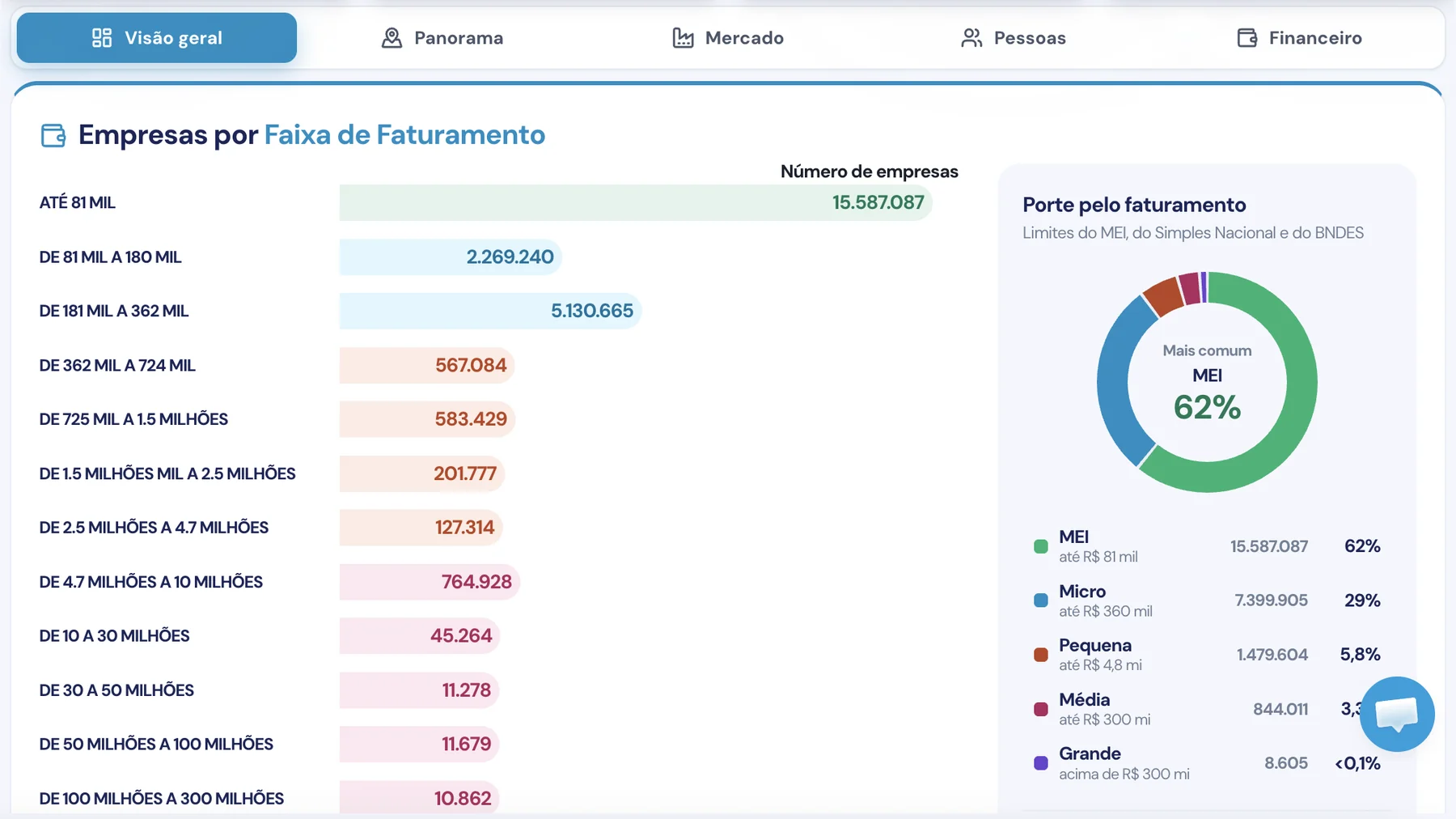
In Analyze Market your filter becomes a dashboard. See how many companies are in each revenue range and their size according to the MEI, Simples Nacional and BNDES thresholds.
- Overview
- Panorama
- Market
- People
- Financial
Now go to the people who decide.
Questions about exploring the market.
What is Unique's Explore market?
It's how you find companies on Unique: ask Unique AI or build filters in the panel, see the result in the listing with the counters and analyze the market before exporting the leads.
Can I search for companies by typing in plain language?
Yes. In Unique AI you describe the companies you're looking for, by text or voice, and it turns the request into real filters. The AI can make mistakes, so check the filters before exporting.
Where is the payroll filter?
In the Employee Data group, named Payroll (Estimated). It sits next to the employee ranges per CNPJ and per business group, the hiring range and the termination range.
Is payroll an exact value?
No. It's a Unique estimate, shown in ranges, to help you prioritize prospecting. It's not an official company figure.
Which filters exist besides payroll?
Basic filters by CNPJ and name, CNAE and legal nature, registration status, headquarters or branch, entity type, financial data, debts, regions and location, partners, tax regime, titles and departments, foreign trade, size range, legal proceedings and activities and segments.
Can I see the size of the market before exporting?
Yes. The counters instantly show how many companies, partners, decision-maker phones and emails your filter has. In Analyze Market you see the distribution by revenue range and company size.
At Unique you talk to the person who signs the contract!
Book a demo and explore your market with payroll, revenue and AI search.