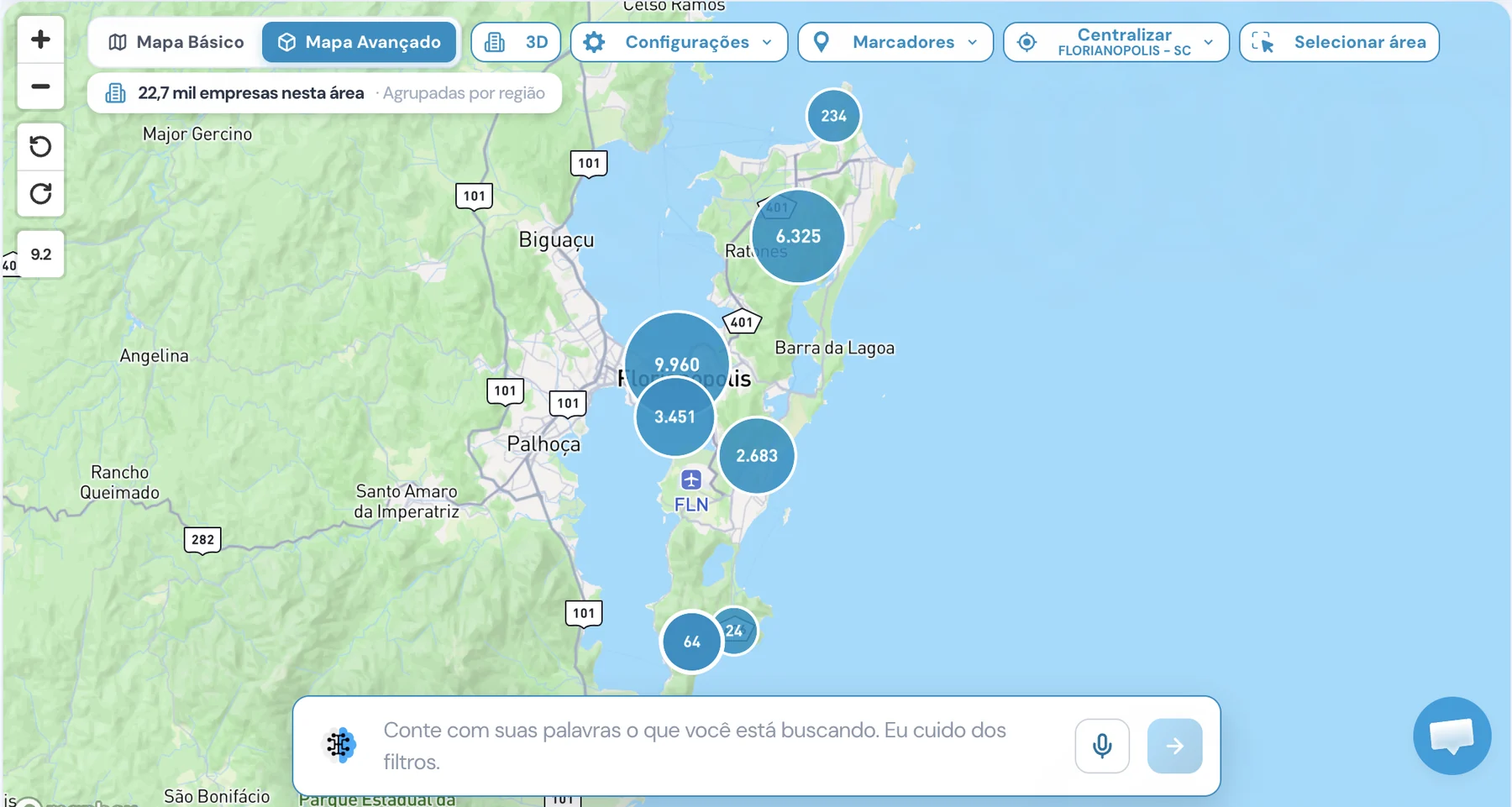
What is Unique's 3D prospecting map?
It's the Advanced Map: a map with 3D buildings that shows the companies in your filter across the city. You see where the market is concentrated, zoom in to the company and select the area you want to prospect.
What's the difference between the Basic Map and the Advanced Map?
The Basic Map is the default, lighter map, on OpenStreetMap. The Advanced Map has 3D buildings, automatic tilt and buttons to rotate the map. The Basic Map remains available; the Advanced Map is a premium module.
How do I select a region on the map?
Click Select area and drag a rectangle over the map. The companies inside the area become your filter. Clear the area to go back to the previous filter.
Can I filter the map by describing the companies?
Yes. In the AI bar at the bottom of the map, describe in your own words the companies you have in mind, by text or microphone. The AI turns the request into real filters and the map shows the companies for those filters.
What appears when I click a company?
The company popup opens with name, CNPJ, status, founding date and sector. View opens the company's data. Select marks the company for export.
How does the company heat map work?
From afar, the heat map shows where the companies in your filter are concentrated. As you zoom in, they appear grouped by region and, up close, one by one. A label shows how many companies are in the area.
Can I turn off 3D?
Yes. The 3D button turns the buildings on and off. When it's off, the map is flat, with no tilt. Your choice is saved for next time.
Is the Advanced Map included in every plan?
No. It's a premium module. Without it, the option appears with the Premium badge and a blurred preview, and the Basic Map remains available. Talk to the sales team to enable it on your license.